
Add an Attendee
The Add an Attendee feature allows you to add one or more participants to your event. Once added, the participant’s registration is confirmed and final.
Steps:
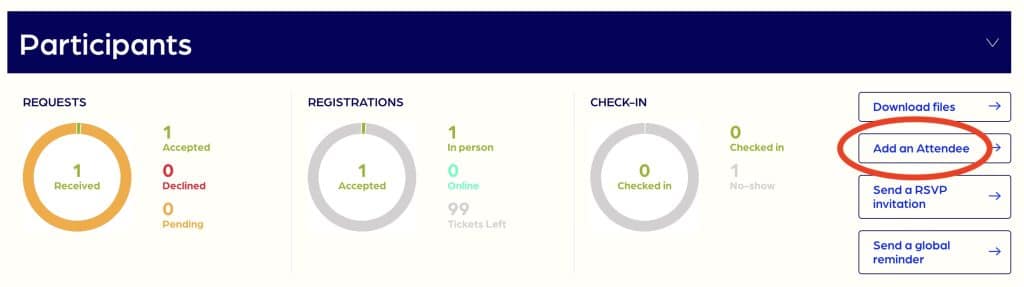
1 – Click the Add an Attendee button
2 – Fill in contact details
To add a single participant: complete the required fields.
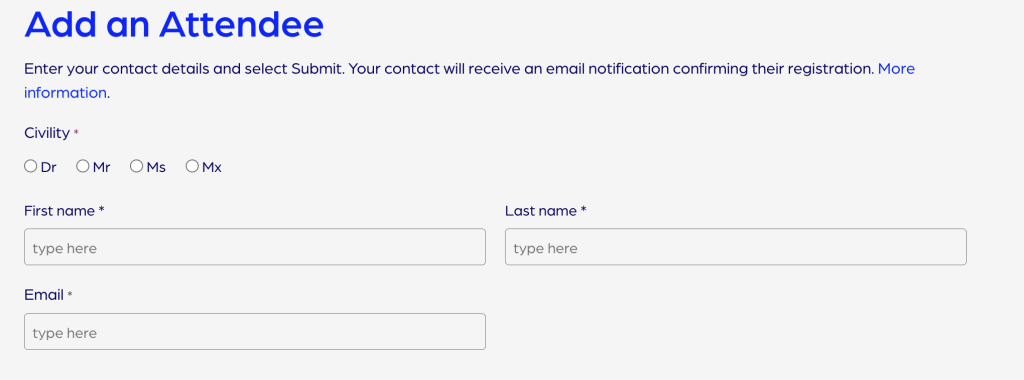
To add multiple participants:
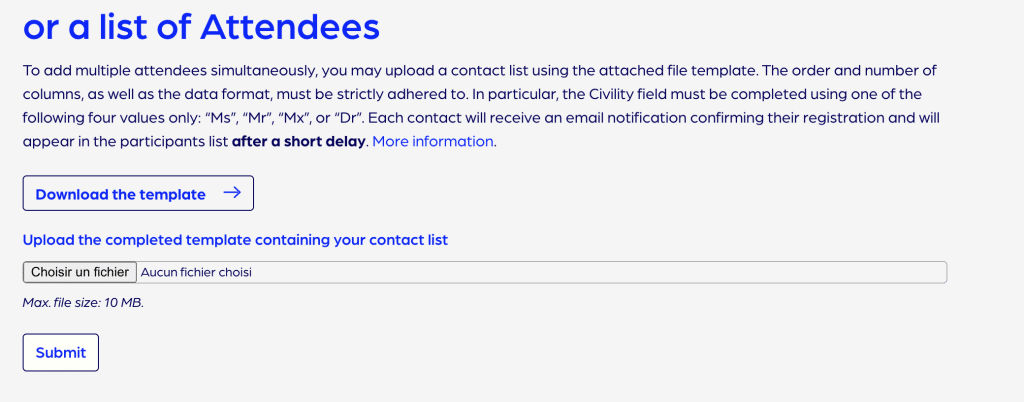
- Download the template file.
- Add your contacts without modifying the order or names of the columns.
- The Civility field must contain one of the following four values only: “Ms”, “Mr”, “Mx”, or “Dr”.
- Ensure there are no leading or trailing spaces in any cell. We recommend using the Find and Replace function to remove any unwanted spaces.
- Upload the completed file.
3- Click Submit
Participants who already have a PAW account will receive an automatic email notification.
Participants without a PAW account will receive two emails simultaneously: one to validate their account, and a second confirming their event registration.
Email delivery may take a few minutes.
Once the emails have been sent, the participants will appear in the attendee list.